Draft — being checked against the app
Arriving a patient
Mark a patient as arrived, check their Medicare card and contact details, and call them from the waiting room.
Arriving a patient tells the team they are here. Their appointment card changes to 'Arrived' and they join the waiting room list, ready for a radiographer or sonographer to call them.
Marking a patient arrived
- On the 'Reception' screen, find the appointment on the 'Schedule' tab.
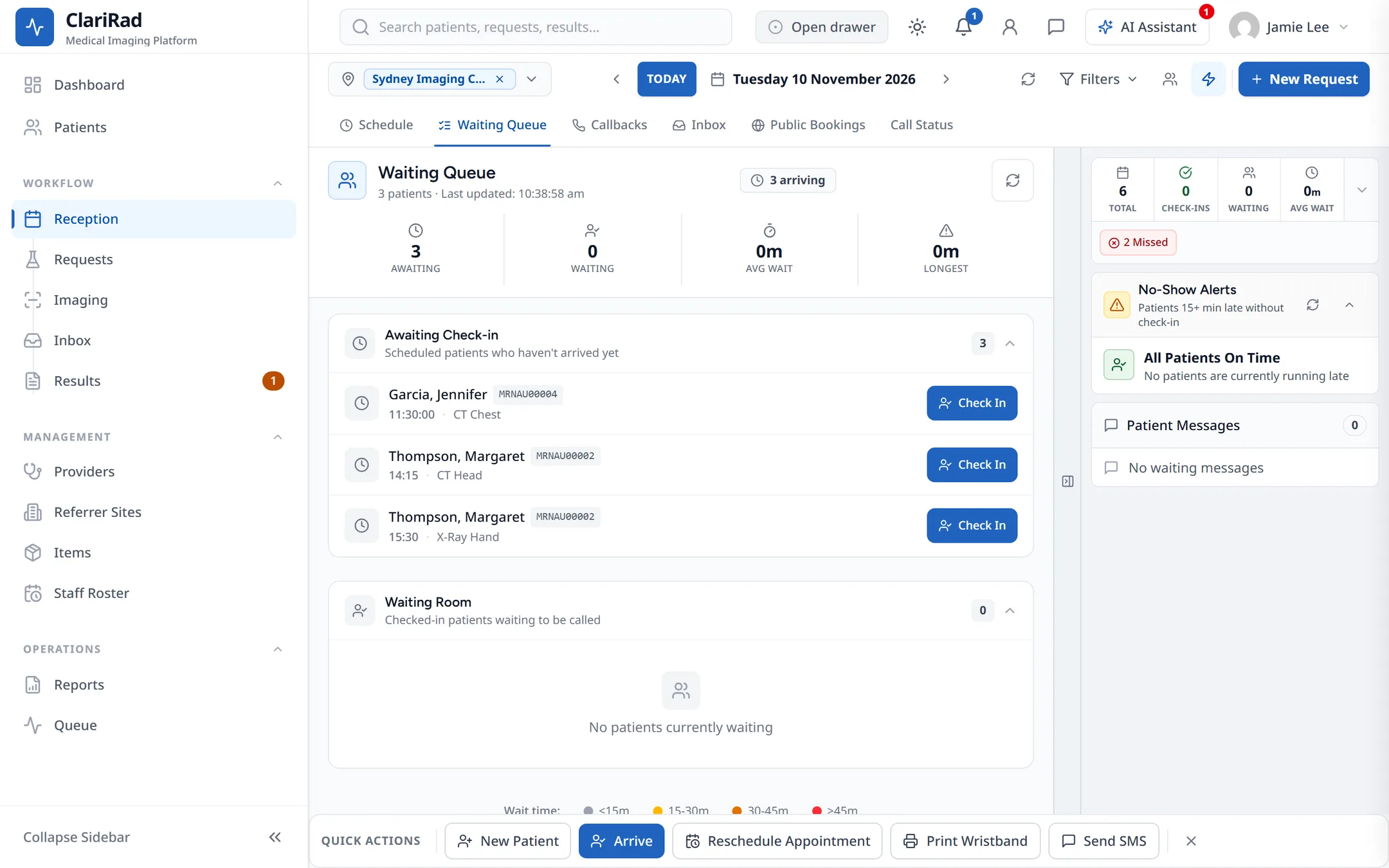
- Right-click the card (or open its actions menu) and choose 'Arrive'. You can also use 'Arrive' in the quick actions bar, or 'Check In' on the 'Waiting Queue' tab.
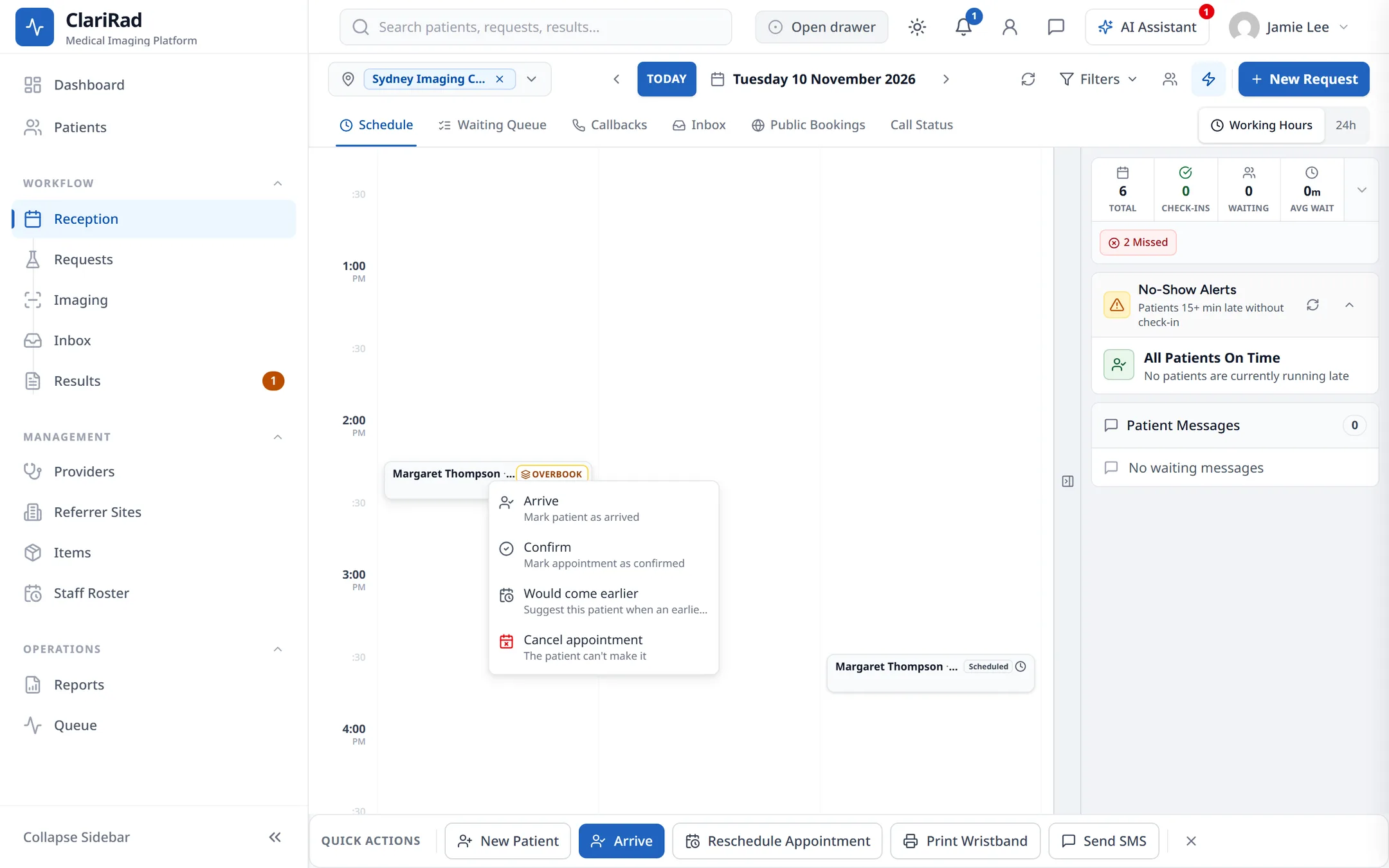
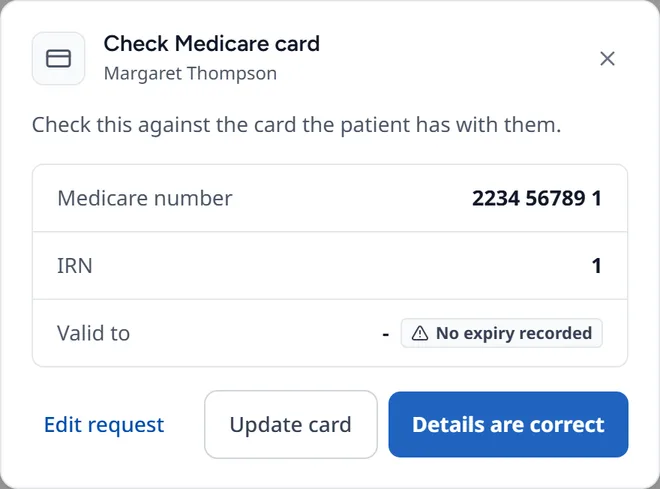
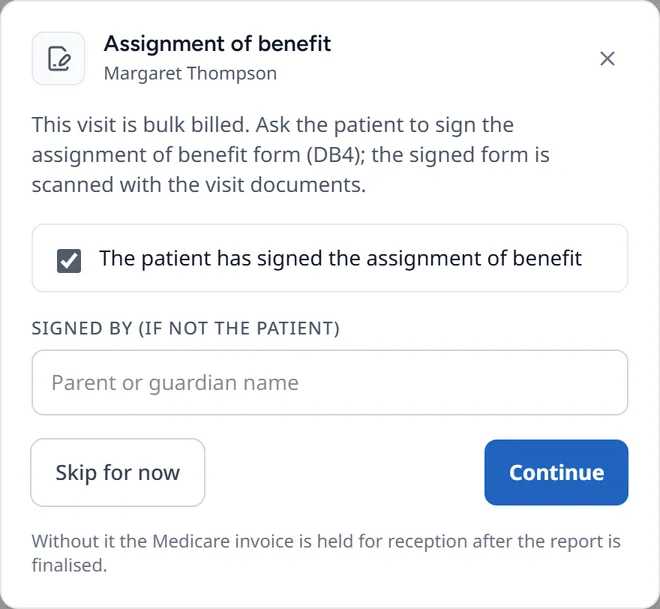
- Work through the checks below. Each one can be skipped if you need to.
- You will see 'Patient arrived'.
The arrival checks
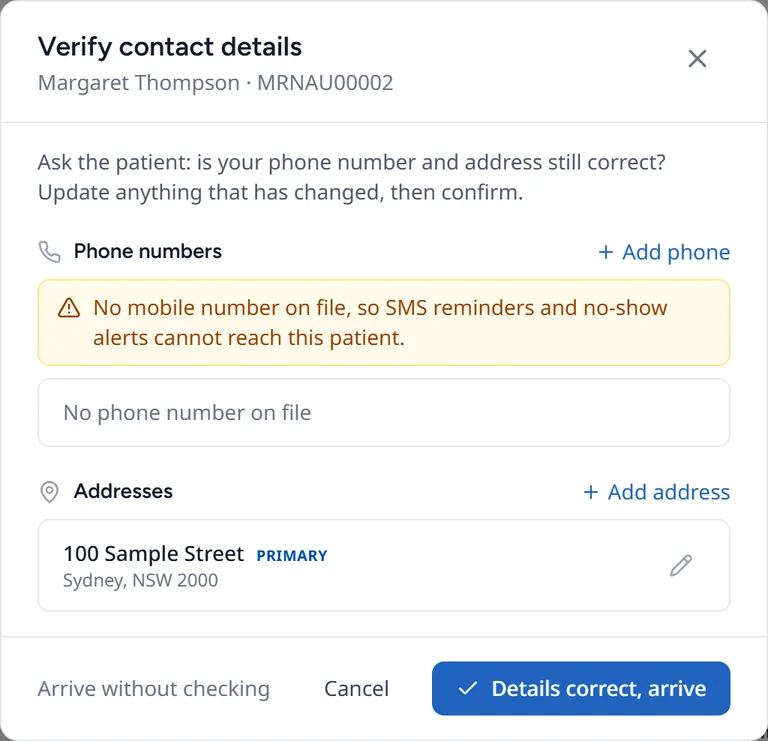
For every patient, 'Verify contact details' asks you to read their phone number and address back to them. Fix anything that has changed, then choose 'Details correct, arrive'. 'Arrive without checking' skips this step.
Referral checks at arrival
Your practice may set a site to check the referral when the patient arrives:
- 'Referral document required': the patient cannot be arrived until the referral is scanned or uploaded. A supervisor can arrive them without it.
- 'Referral expired': the referral has run out. Depending on your site's setting, you either see a warning and can choose 'Check in anyway', or a supervisor has to override it.
Overrides are recorded. See The request screen and referrals.
The waiting room
The 'Waiting Queue' tab has two lists: 'Awaiting Check-in' (booked patients who have not arrived yet) and 'Waiting Room' (arrived patients waiting to be called). Choose 'Call' to call a patient in.
Related pages
- The request screen and referralsEverything about one visit on one screen, recording the referral date, and scanning referral documents.
- Printing patient labelsPrint patient and service labels to any printer or a Zebra label printer, and set up labels for a site.
- Taking payments and the cash drawerRecord a payment at the desk, open the cash drawer with a float, and count and close it at the end of the day.