Draft — being checked against the app
Signing off a report
The checks Clarirad runs when you finalise a report, and what happens to the report and the request afterwards.
Signing off makes a report final. Press Finalise in the voice recognition or Dragon editor, or Approve for a typed report. Ctrl+Enter (Cmd+Enter on a Mac) also finalises.
Checks before the report is signed
Clarirad may stop you with one of these before signing:
- Some of this report was not dictated: part of the text was suggested by an AI assist and you haven't reviewed it. Choose Go back and review, or I have checked it, continue.
- Check this report before you finalise it: if your practice has the consistency check on, Clarirad compares the report with the request, for example left versus right or the patient's sex. Choose Go back and fix, or It is correct, continue.
- Critical finding review: Clarirad looks for critical findings. See Critical results and escalation.
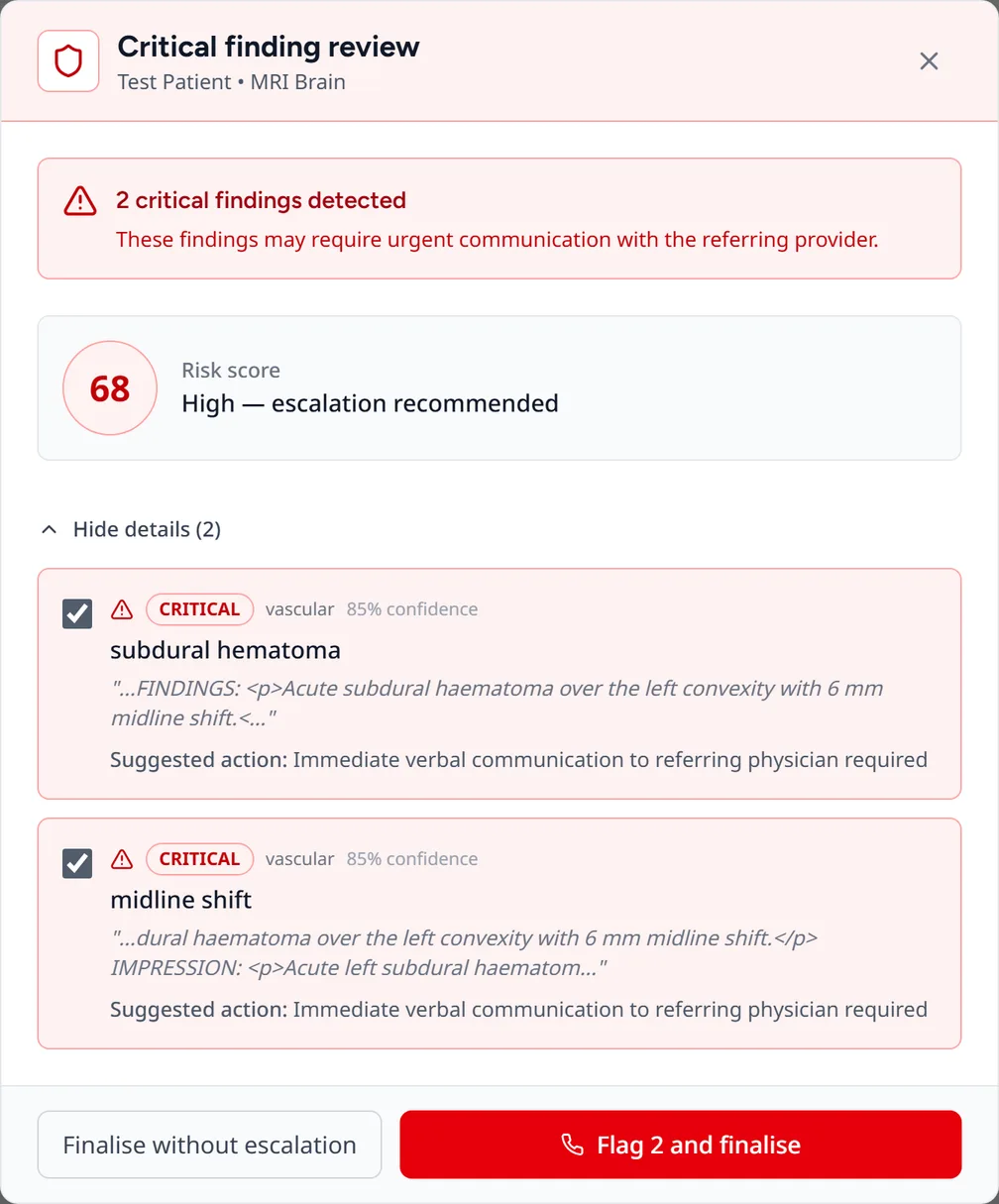
Every time you continue past a warning, it is recorded in the audit log.
Why sign-off can be refused
- The report has no impression.
- Someone else has the report locked. Ask them to release it, or ask an admin to unlock it.
- Only reporting clinicians and admins can sign off reports.
- A signed report can't be edited in place. Use an addendum or correction instead (see Addenda and corrections).
What happens after sign-off
When the report is final, Clarirad:
- sends the report to the referrer by their delivery methods, and tells them in the referrer portal;
- sends it to the site's PACS and any other systems the site is connected to;
- prints it on the site's printer if your practice prints signed reports;
- releases it to the patient portal if your practice's release rule says so (see Releasing results to patients);
- moves the request on to the next status;
- saves a version of the report in its history;
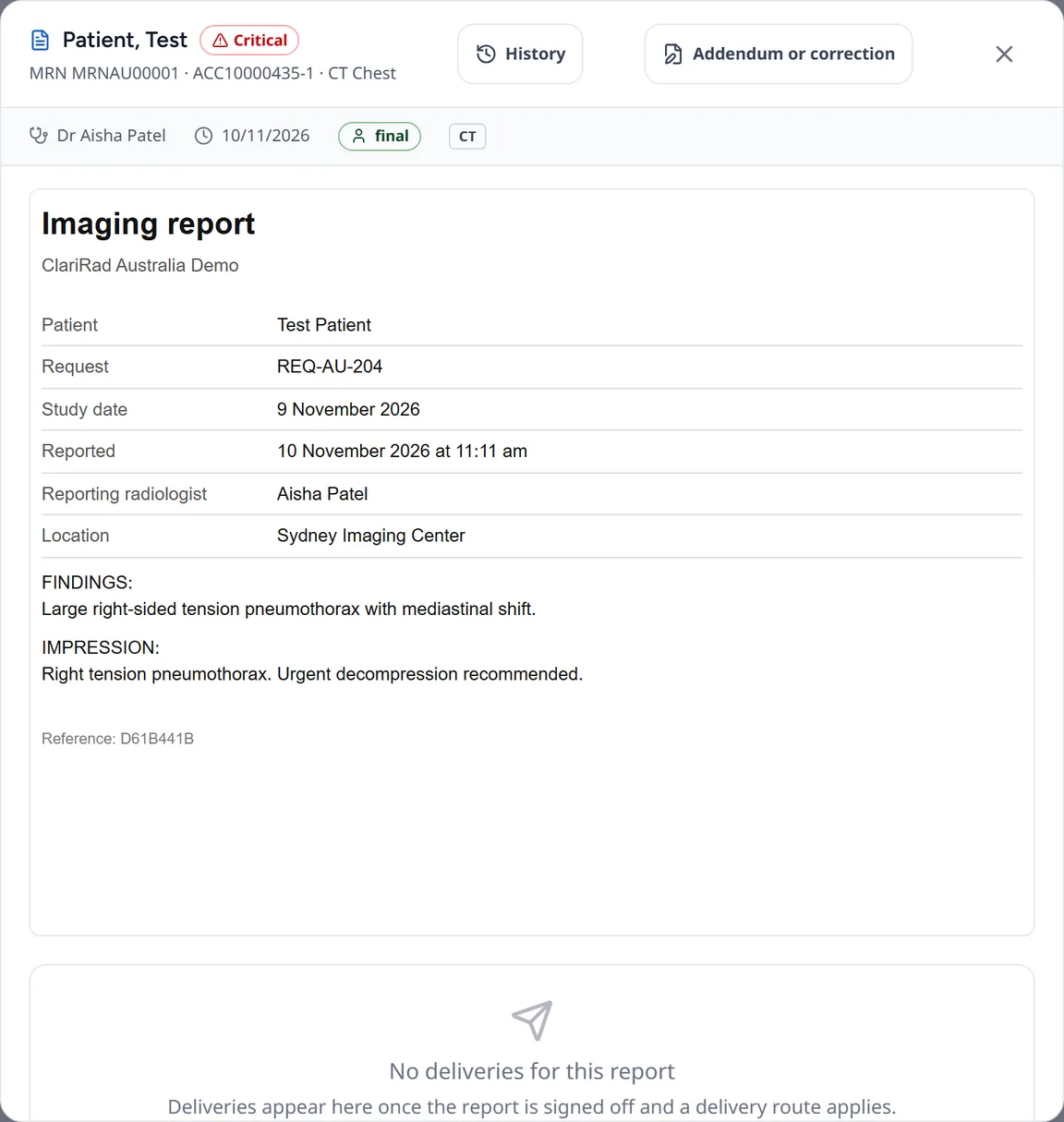
- opens a critical result if the report was flagged.
You then return to the worklist, or go straight to the next case if you are using Get next or a dictation run.
To check delivery, open Results, click the report and look at the Report distribution panel. Use Retry or Resend if a delivery failed.
Registrars
A registrar can't sign a report as final. When a registrar finalises, the report is signed as a preliminary and sent to their supervising consultant to co-sign, and the consultant is told. The button reads Sign preliminary and the registrar can pick the Co-signing consultant (their supervisor by default).
Urgent reports waiting to be signed
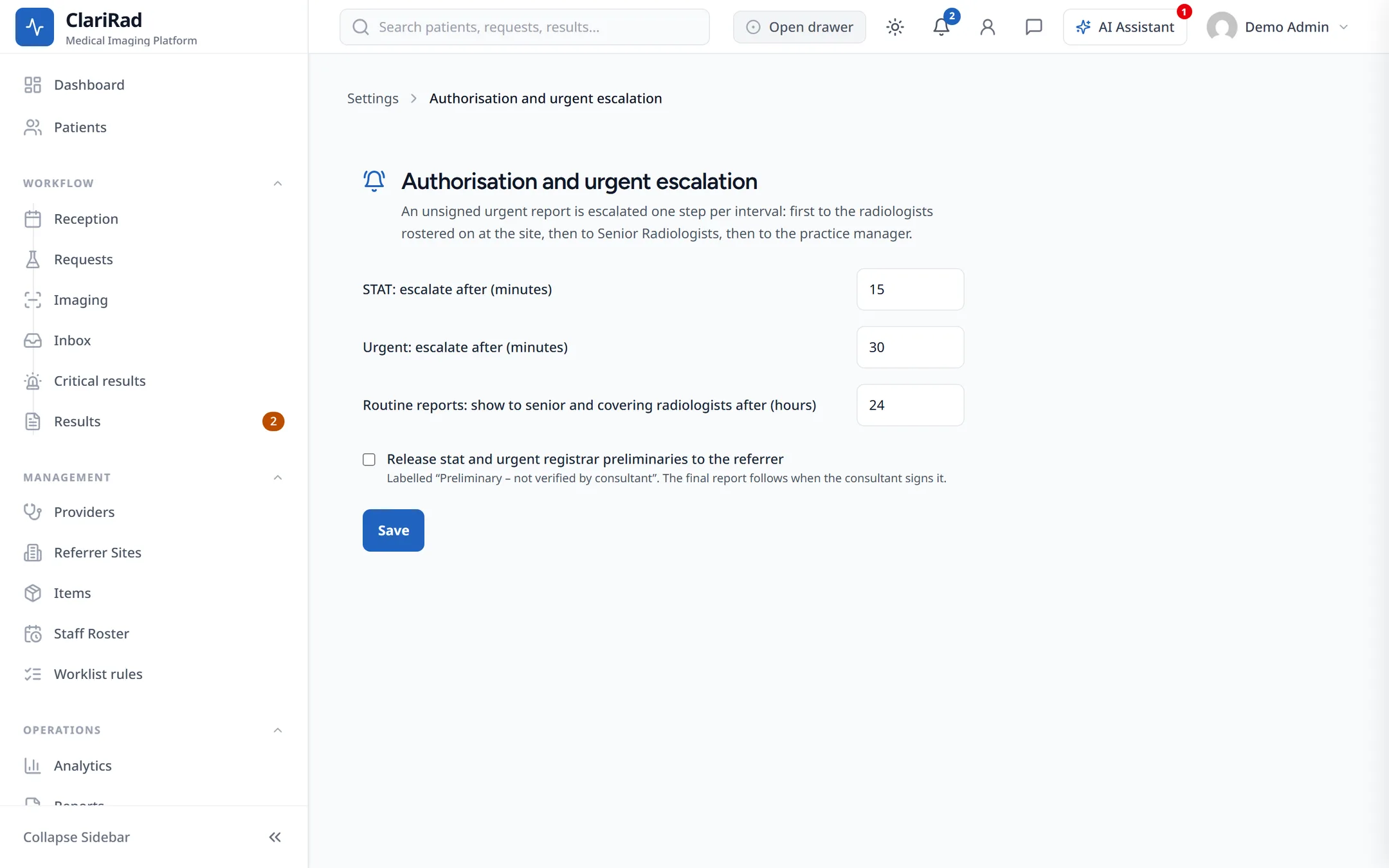
Admins set escalation times under Settings, Authorisation and urgent escalation:
- STAT: escalate after (minutes), 15 by default.
- Urgent: escalate after (minutes), 30 by default.
- Routine reports: show to senior and covering radiologists after (hours), 24 by default.
An unsigned stat or urgent report goes first to the radiologists rostered at the site, then to senior radiologists at twice the delay, then to the practice manager at three times. They see an Urgent reports waiting for authorisation banner with Acknowledge and Open.
The same settings hold the list of registrar supervisors, and whether stat and urgent registrar preliminaries are released to the referrer.
Related pages
- Dictating and transcribing reportsReport with voice recognition or Dragon, or record audio for a typist and approve the typed report.
- Critical results and escalationFlag a critical finding at sign-off, make sure the referrer acknowledges it, and record the call.
- Addenda and correctionsAdd to or correct a signed report, see its version history, and move a study filed against the wrong patient.