Draft — being checked against the app
Patient alerts and identity holds
Record allergies, implants and other safety alerts, and stop a study scanned under the wrong patient.
Patient alerts
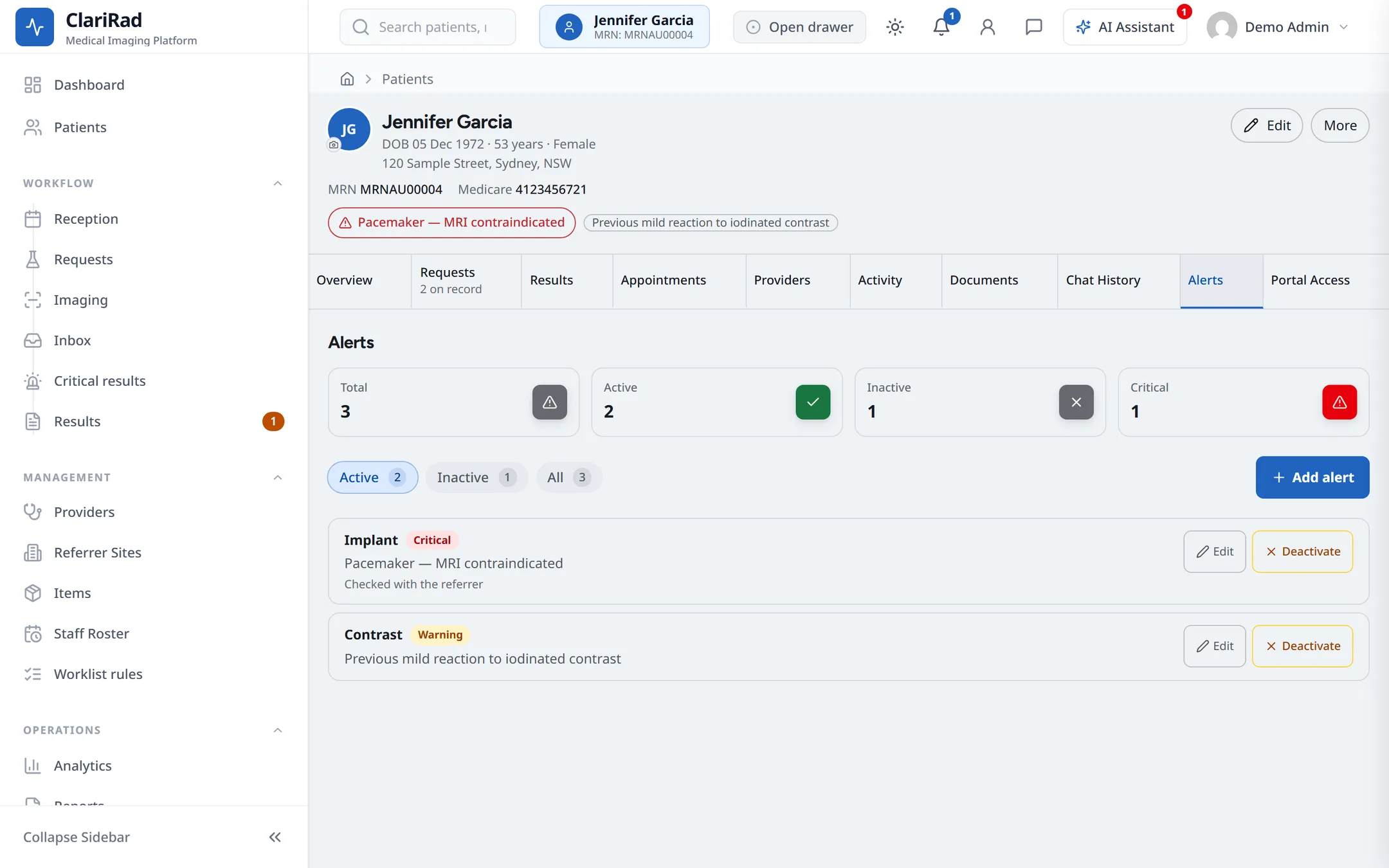
Alerts warn staff about something they must know before they image the patient, such as a contrast allergy or a pacemaker. They are kept on the 'Alerts' tab of the patient's record.
- Open the patient's record and go to the 'Alerts' tab.
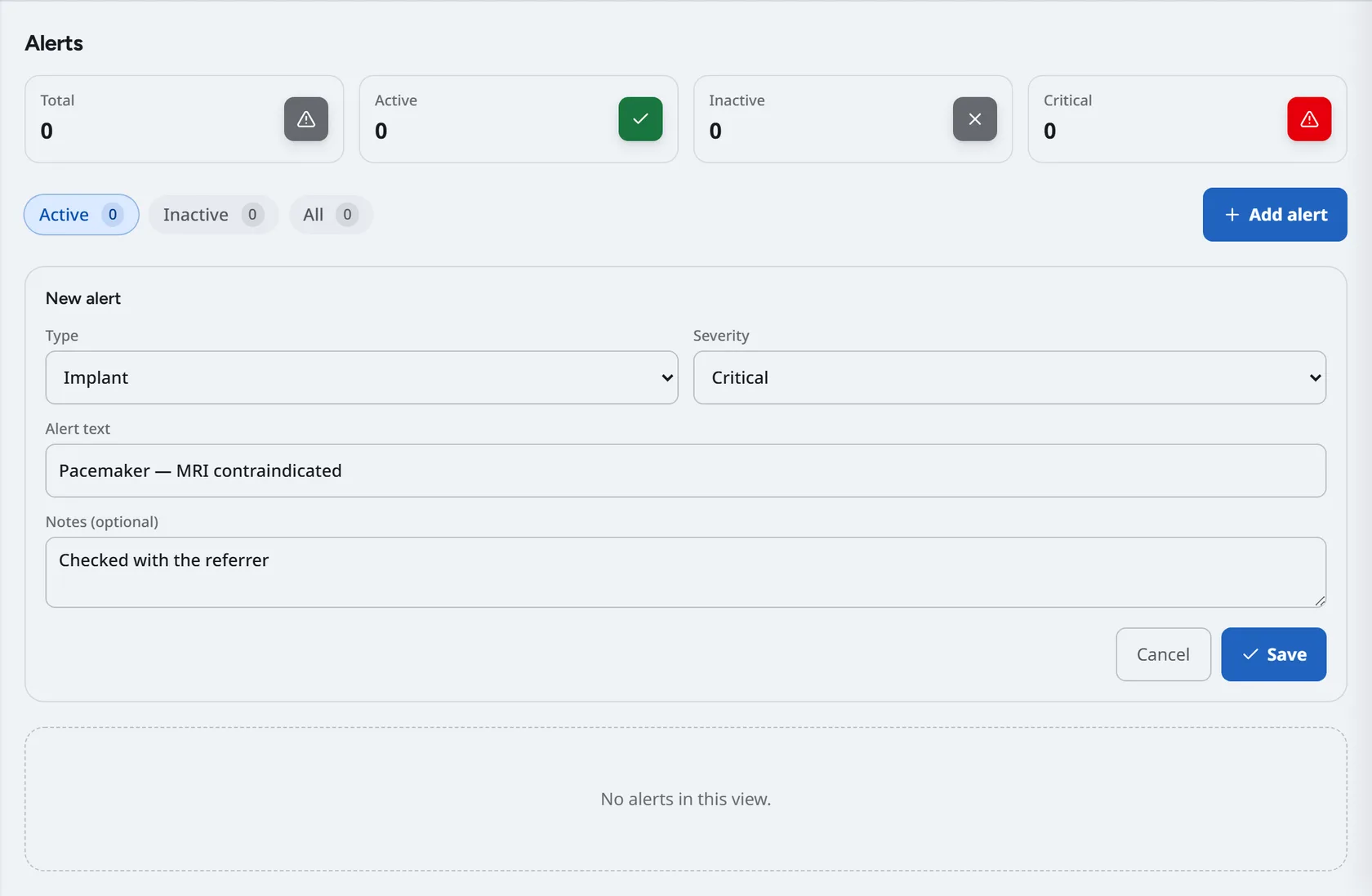
- Choose 'Add alert'. The 'New alert' window opens.
- Pick a 'Type': Allergy, Contrast, Implant, Renal, Pregnancy, Communication, Mobility, Safety, Medical, Fasting or Other.
- Pick a 'Severity': 'Info', 'Warning' or 'Critical'.
- Write the 'Alert text', for example 'Pacemaker — MRI contraindicated', and any 'Notes (optional)'. Save it.
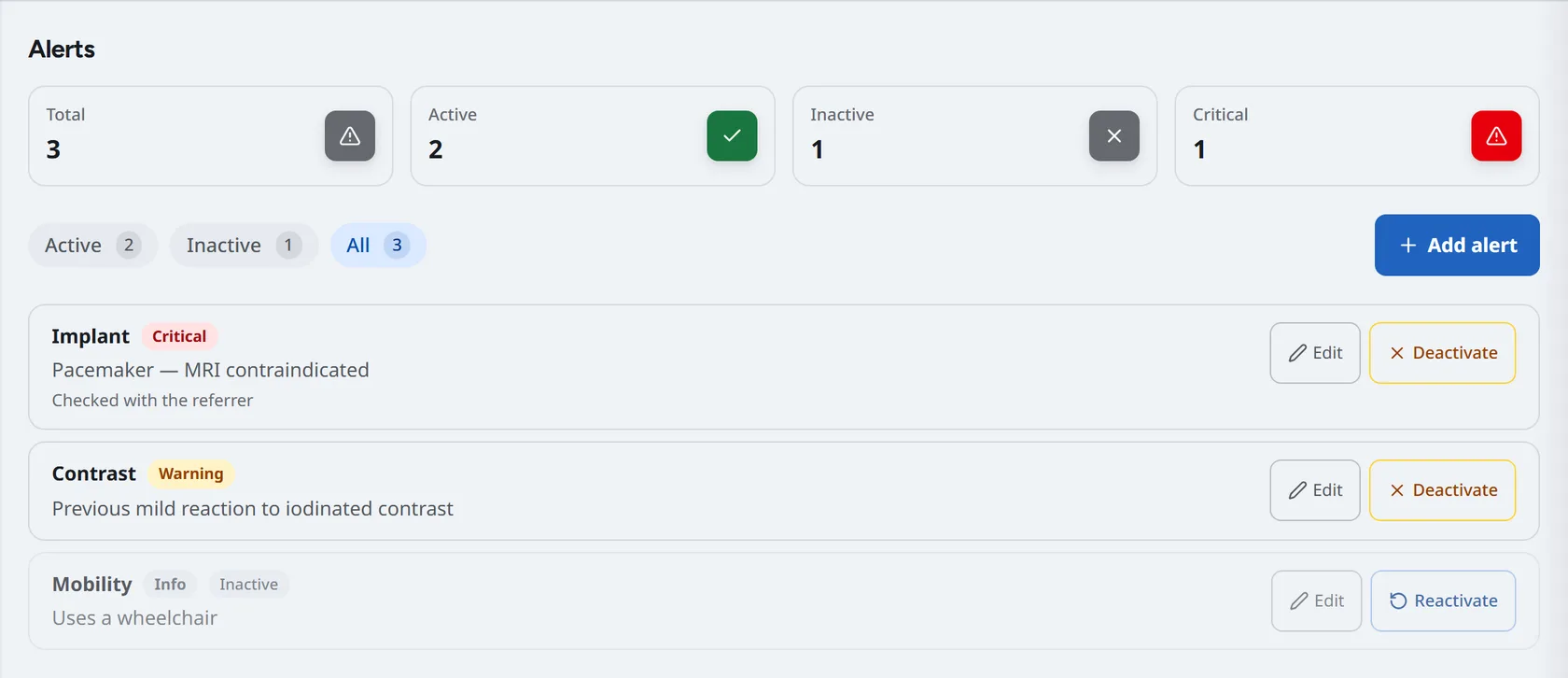
Use the 'Active', 'Inactive' and 'All' filters to see older alerts. 'Edit' corrects an alert. When an alert no longer applies, 'Deactivate' it rather than deleting it, so its history stays on the record. 'Reactivate' brings it back.
Identity holds
An identity hold is for a study that may be under the wrong patient, for example when a patient was scanned under someone else's details. It goes on the study, not the patient. While a study is on hold it cannot be reported, published, released to the patient, invoiced or claimed. A hold only stops things; it does not correct anything.
Putting a study on hold
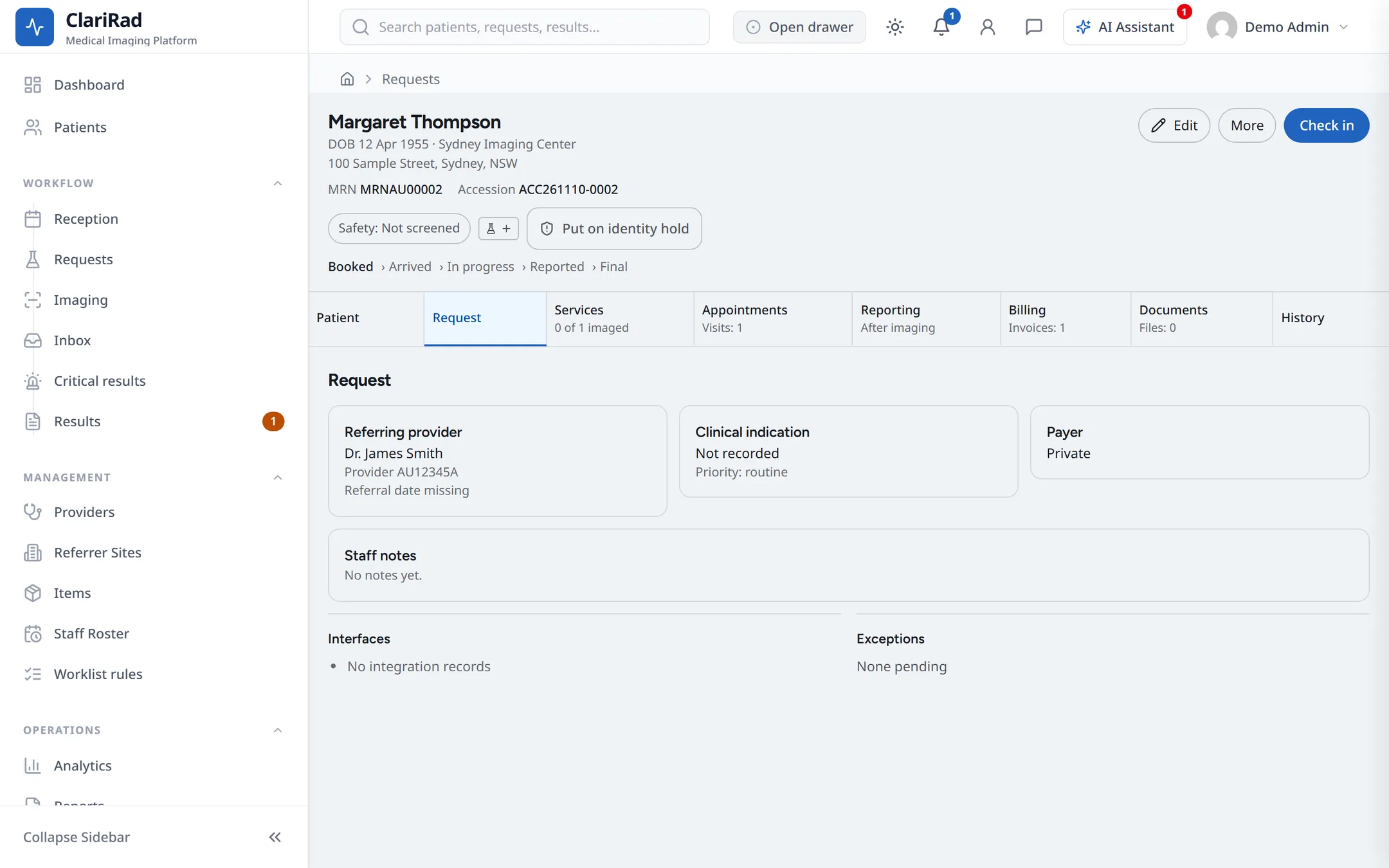
- Open the request and choose 'Put on identity hold'. The button is on the tabbed request screen; if your practice does not use it, ask the AI Agent to place the hold.
- Under 'What happened?', write a sentence about it. Do not include patient names or numbers.
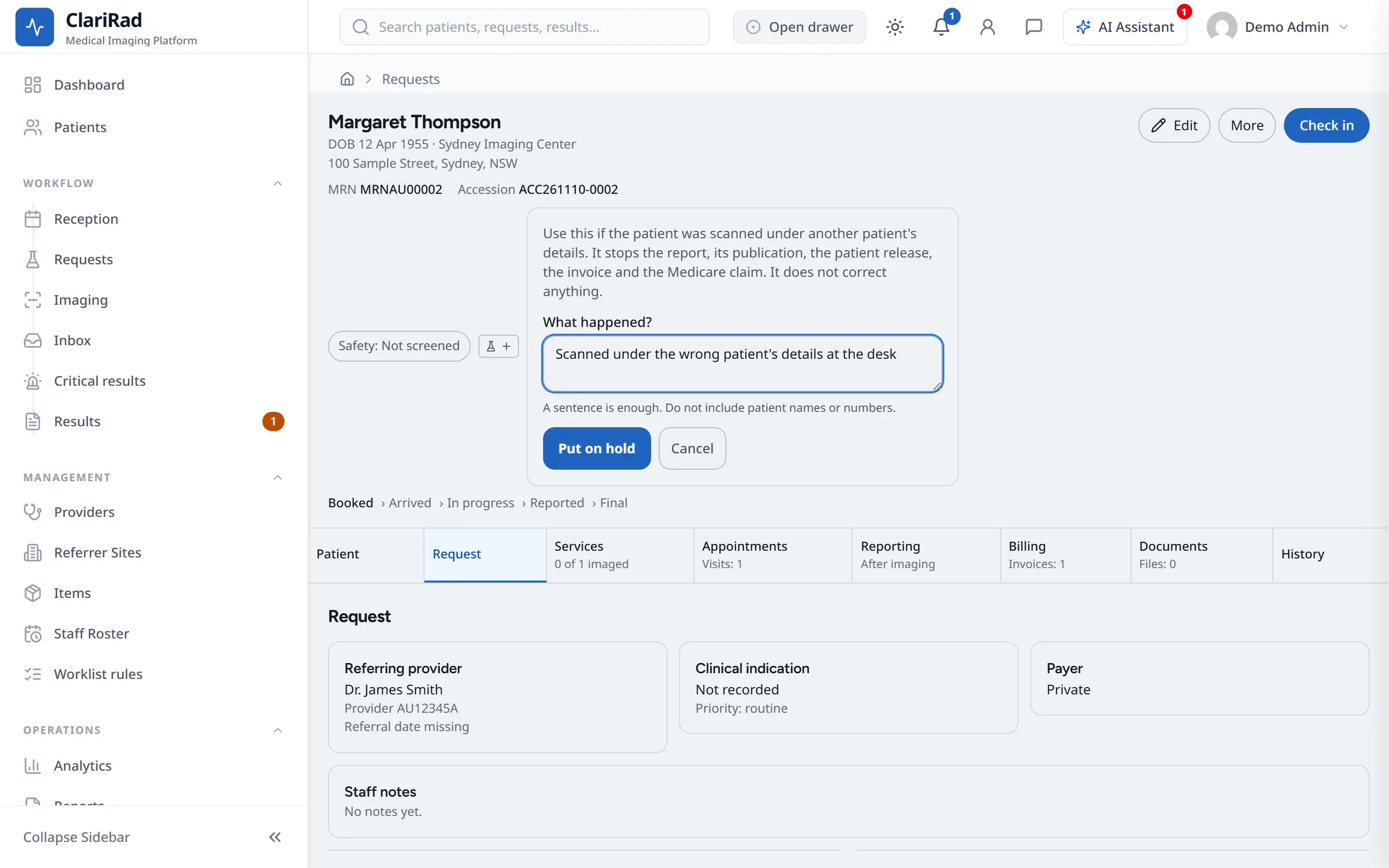
- Choose 'Put on hold'.
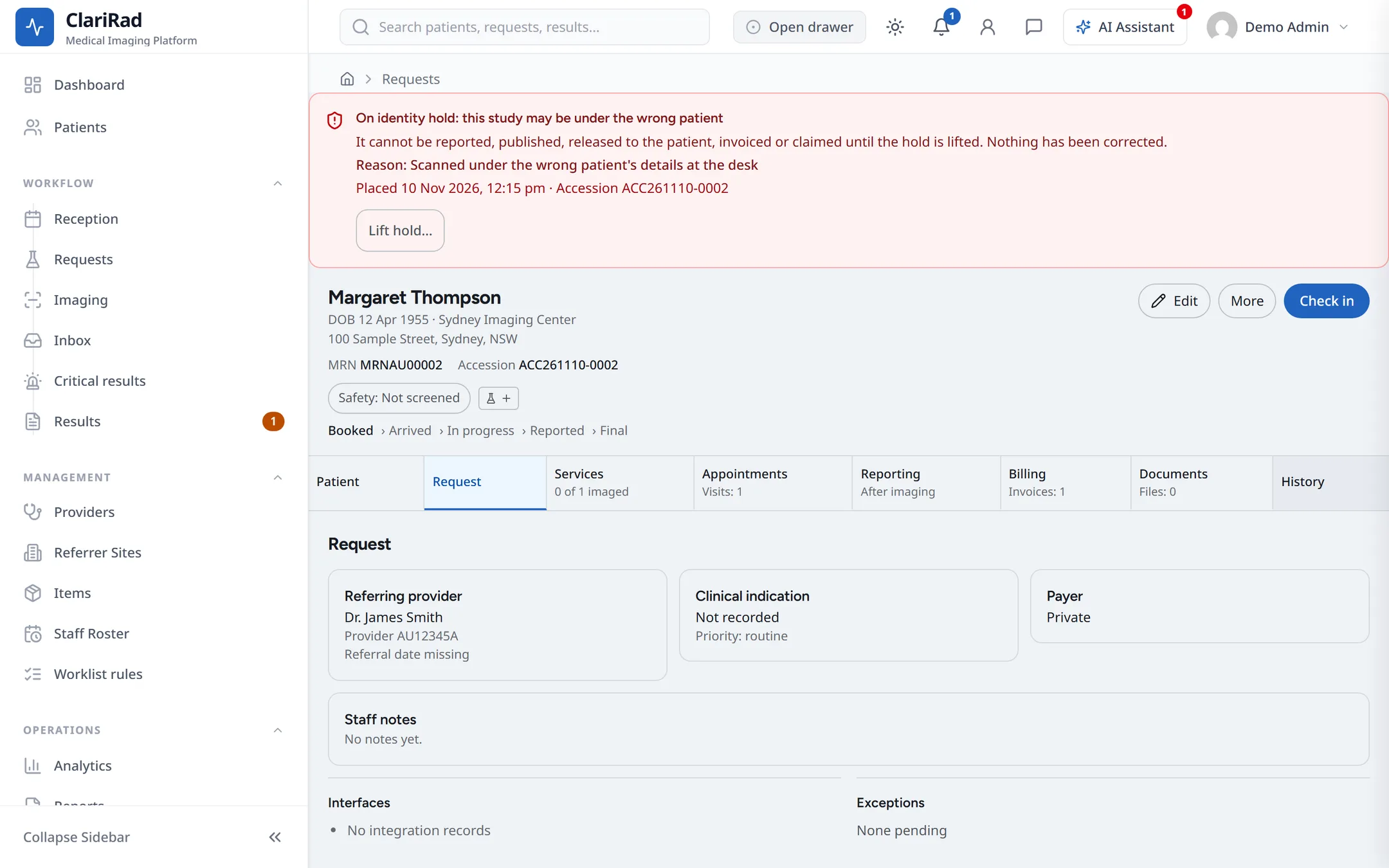
The request shows 'On identity hold: this study may be under the wrong patient', and worklists show 'On hold'. Your practice's clinical governance contact is told, by accession number and reason only.
Lifting a hold
Only an administrator or a reporting radiologist can lift a hold.
- Open the request and choose 'Lift hold…'.
- Explain what you checked and why it is safe to lift.
- Tick 'I have checked that this study is under the right patient', then choose 'Lift hold'.
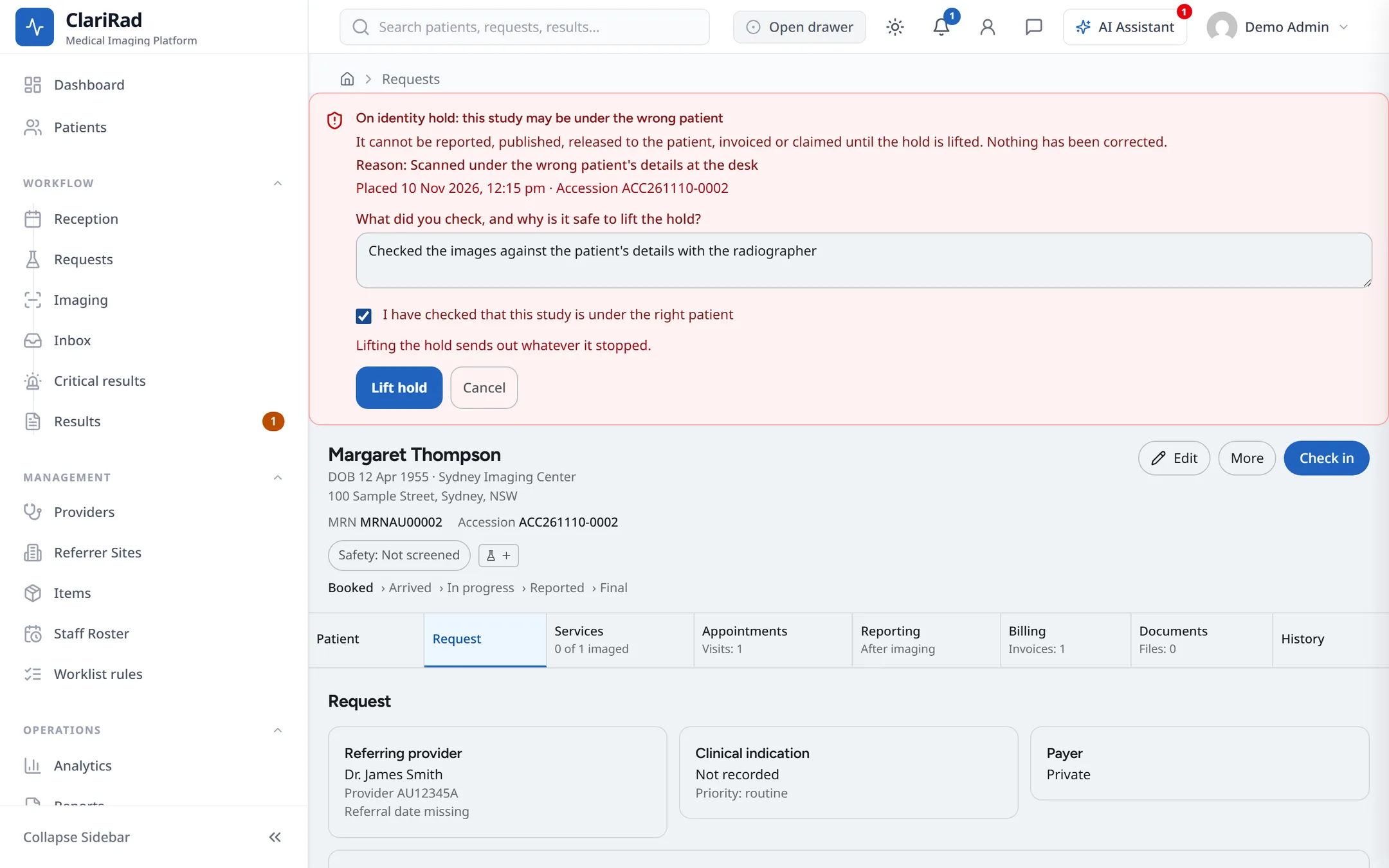
Lifting the hold sends out whatever it stopped, such as the report and the invoice.