Draft — being checked against the app
Patient identifiers and Medicare card checks
Keep a patient's cards and numbers up to date, and check a Medicare card with Medicare.
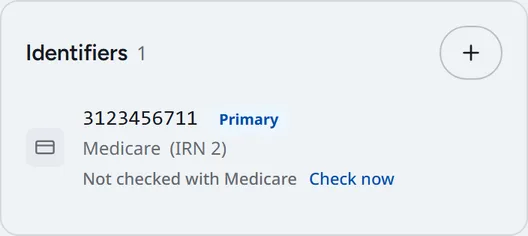
A patient's cards and numbers are listed in the 'Identifiers' section of their record. If there are none, it says 'No identifiers on file'. Use the '+' button on the section to add one, or edit an existing row when the patient brings a new card.
Checking a Medicare card
Clarirad can ask Medicare whether the card on file is current and matches the patient. The Medicare row shows the result of the last check:
- 'Checked valid' with the date: Medicare confirmed the card.
- 'Check out of date': the last good check is more than 90 days old.
- 'Medicare does not match': Medicare did not accept the details, with Medicare's own explanation.
- 'Could not reach Medicare': the check could not be made. Try again later.
- 'Not checked with Medicare': no check has been made yet.
- Open the patient's record and find the Medicare row under 'Identifiers'.
- Choose 'Check now' (or 'Check again').
- Wait while it shows 'Checking…', then read the result.
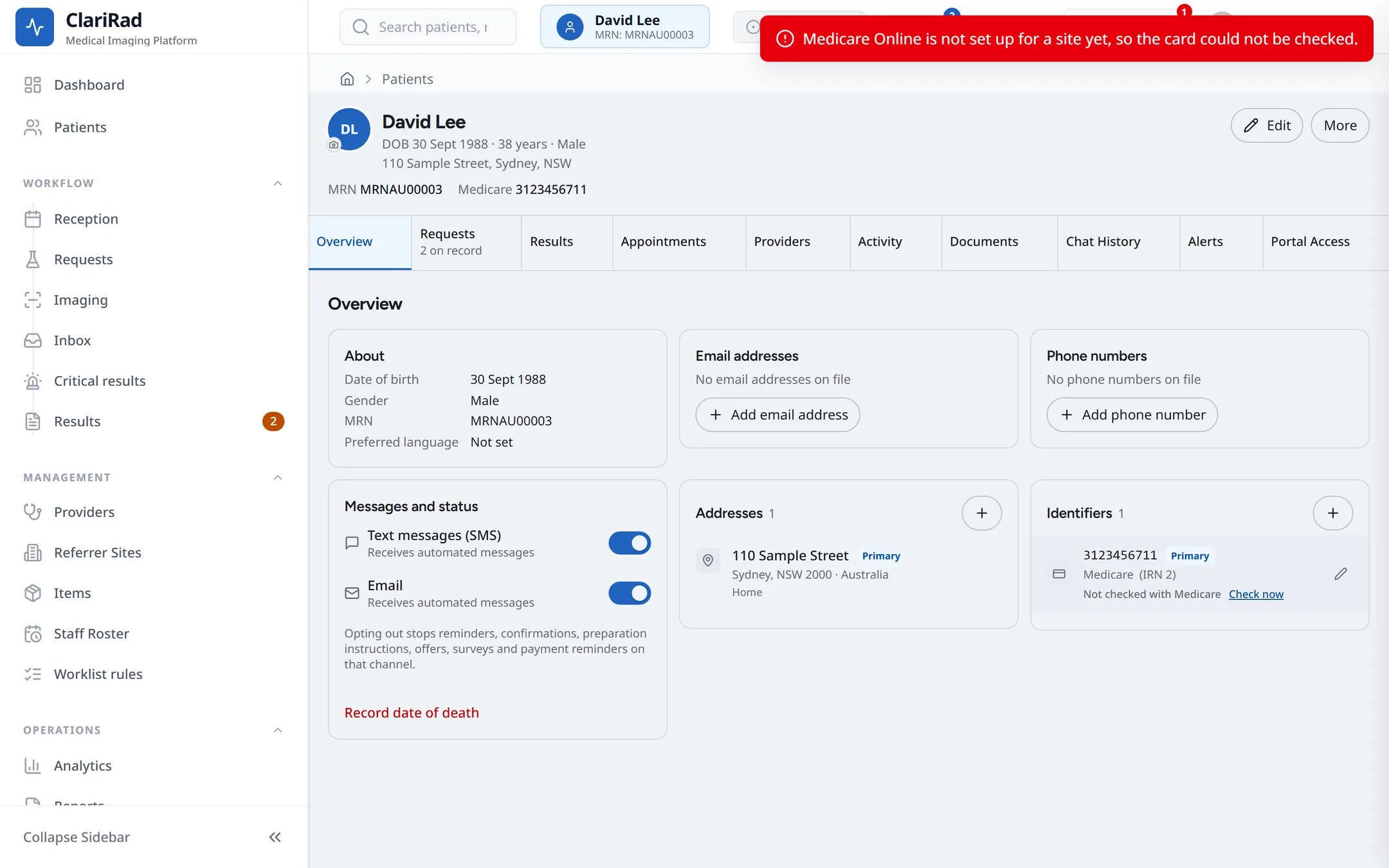
Medicare allows one check per card per day, so once a card has been checked today the button is hidden until tomorrow.
Checking the card when the patient arrives
For Medicare patients, marking them arrived first shows 'Check Medicare card' with the card on file, so you can compare it with the card in their hand. See Arriving a patient.
Common problems
- 'Medicare Online is not set up for a site yet': ask your practice manager. Medicare Online is set up per site.
- 'The card needs a 10-digit number and an IRN': complete the card details first.
- 'This card was already checked today on another patient record': the same card is on two records. Check whether they are duplicates.
- 'Medicare does not match': check the name, date of birth, number and IRN with the patient. If the patient's details differ, update them and check again tomorrow.