IP allowlist and API IP policy
Each key lists its own addresses, and a tenant-wide policy can bound them all.
Two lists decide which addresses may use a key. The key's allowlist is always on. The tenant's API IP policy is optional and sits above every key.
The key's allowlist
Every key lists the IP addresses or CIDR ranges it will be used from. An entry that matches every address, or several ranges that add up to every address, is refused.
A call from any other address is refused with 403 and Request IP is not allowed for this API key. A key with no allowlist, which can only be an old one, is refused until you rotate it and add addresses.
The API IP policy
The API IP policy lists the addresses your own systems use. It is off by default. Manage it under Settings, then Login IP Restrictions, by choosing API keys as who the restriction applies to. With it on:
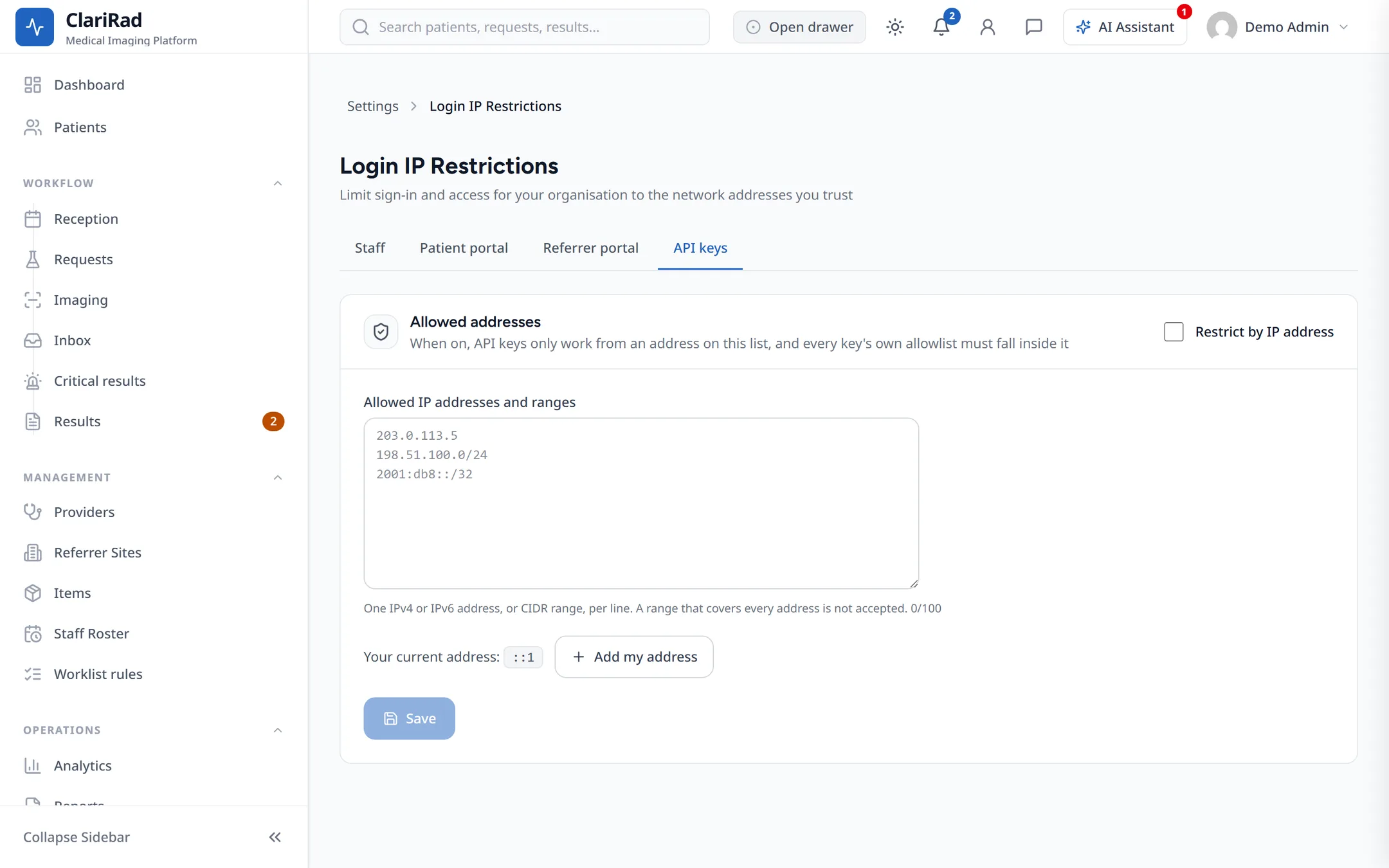
- Issuing or rotating a key is refused if its allowlist reaches outside the policy.
- A call from outside the policy is refused with
403andRequest IP is not allowed by this tenant's API IP policy, even when the key's own allowlist would pass. - Tightening the policy cuts existing keys off at once. Check what is in use first.
Failed attempts
A wrong key and a real key used from the wrong address both count against the calling address. After 30 failures in a minute, that address gets 429 and Too many failed authentication attempts, with Retry-After: 60.