Draft — being checked against the app
Modality worklist and HL7 with your PACS
Get booked studies onto your scanners' worklist, send orders and signed reports to your PACS, and take reports back from it.
Your scanners need to know who is coming, and your PACS needs to know which study belongs to which order. Clarirad can do this two ways for each site: host the modality worklist itself, or send each study to the PACS as an HL7 order and let the PACS host the worklist.
Choosing a worklist source for a site
- Open the site's page and find the 'Modality worklist' card.
- Choose the 'Worklist source': 'No modality worklist', 'Clarirad hosts the worklist', or 'The PACS hosts the worklist'.
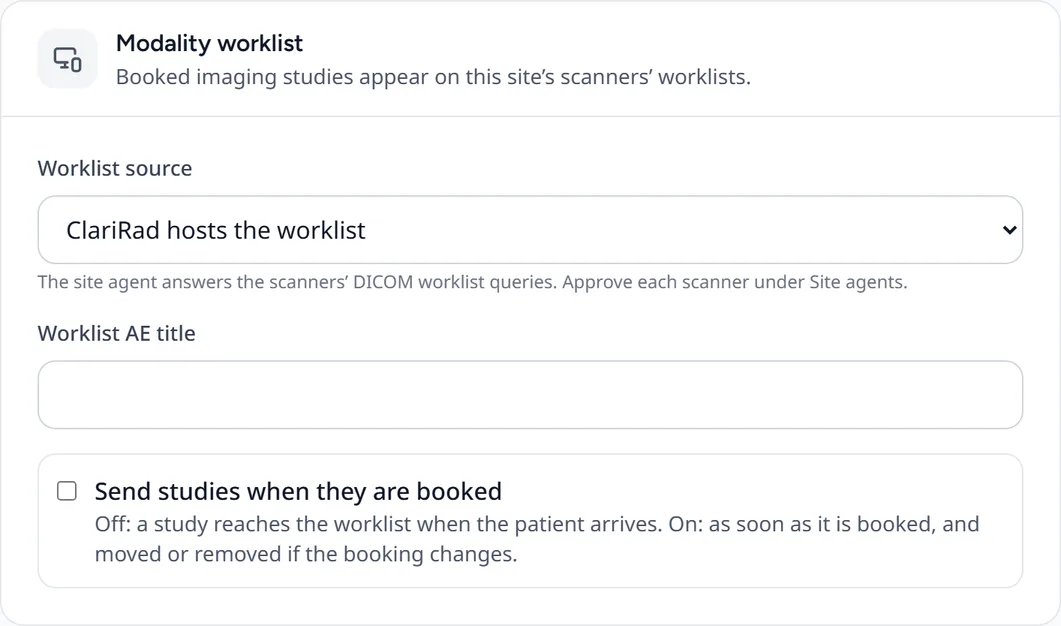
- Enter the 'Worklist AE title' your scanners use.
- Decide when studies go onto the worklist. With 'Send studies when they are booked' off, a study appears when the patient arrives. With it on, it appears at booking and moves or disappears if the booking changes.
'Clarirad hosts the worklist' needs the site agent on the site's network, which answers the scanners' worklist queries. Each scanner must be approved under 'Site Agents' before it is given any patients. A new scanner shows 'Waiting for approval' and is sent an empty worklist until then.
Connecting to your PACS
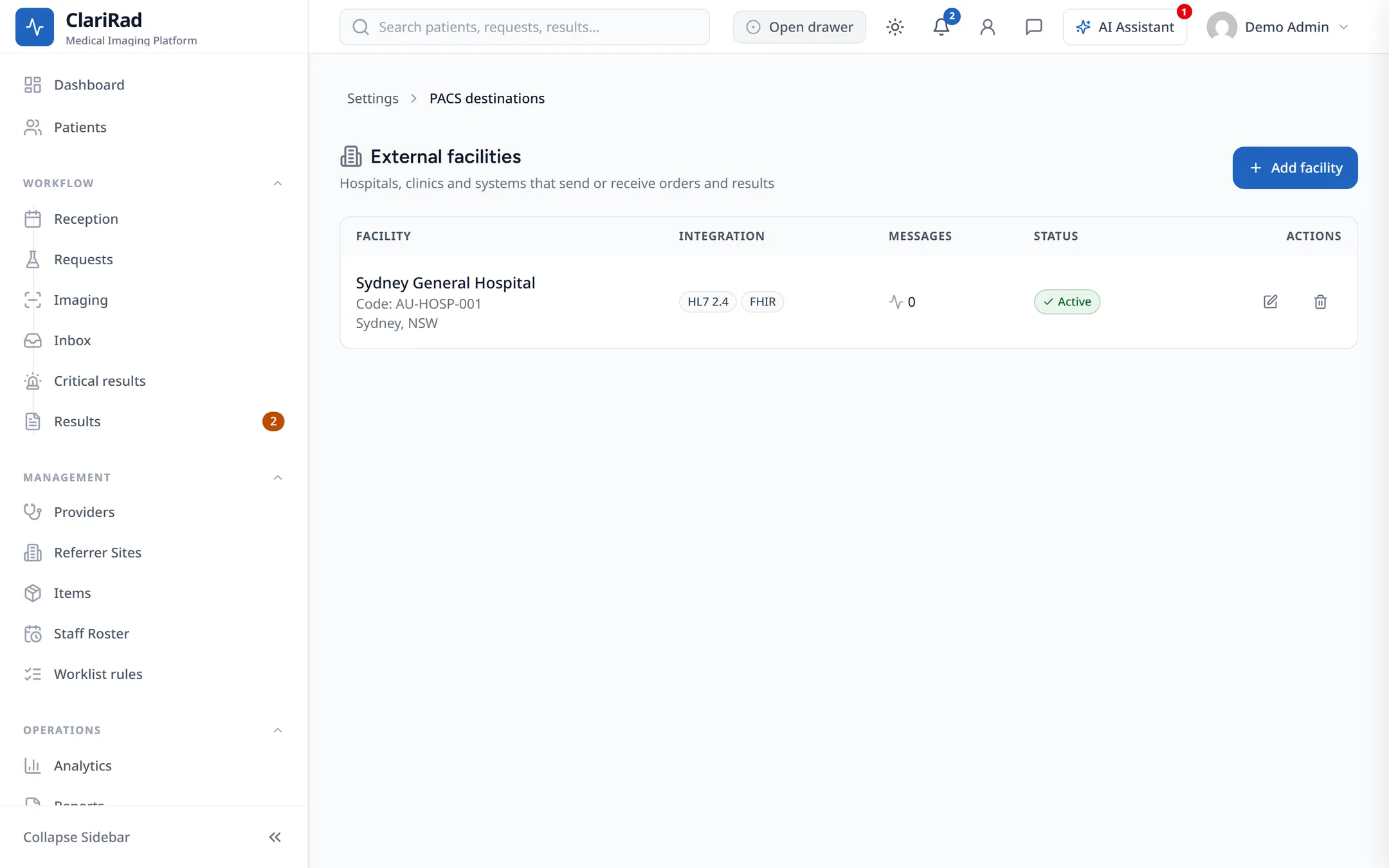
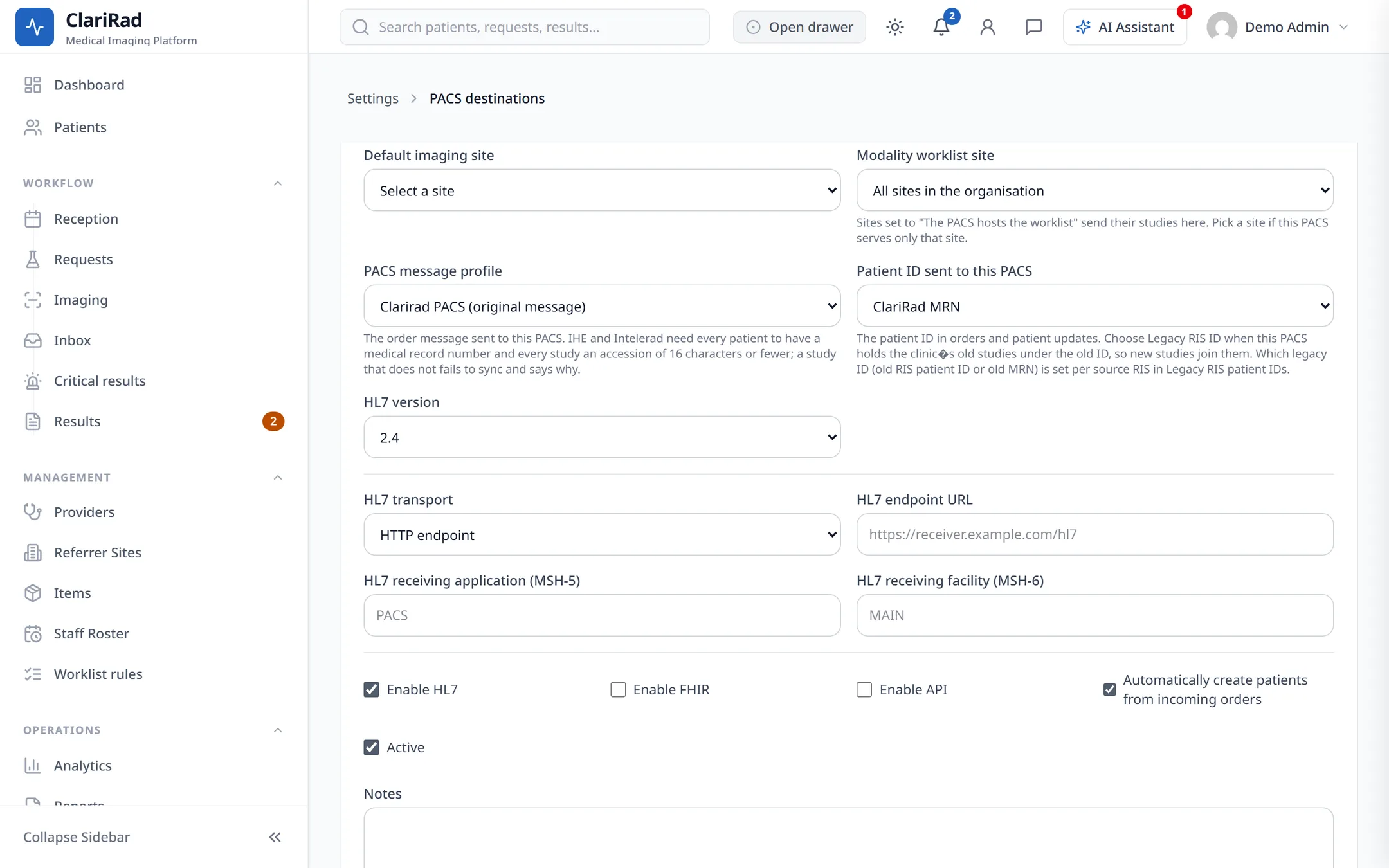
Set the PACS up as a destination in Settings, under 'Integrations', then 'PACS destinations' (the page is titled 'External facilities'):
- Choose the type 'PACS (imaging system)'.
- Choose the transport: an HTTP endpoint, or MLLP with the PACS's host and port.
- Choose the 'PACS message profile': 'Clarirad PACS (original message)', 'Generic IHE PACS' or 'Intelerad IntelePACS'.
- Choose the 'Patient ID sent to this PACS': the Clarirad MRN, or a legacy RIS ID where your old system's numbers must be kept.
What is sent and received
- Orders, changes and cancellations go to the PACS as studies are booked, moved or cancelled, along with patient detail updates.
- Signed reports go to the PACS when the site reports in Clarirad and the destination uses the Generic IHE or IntelePACS profile.
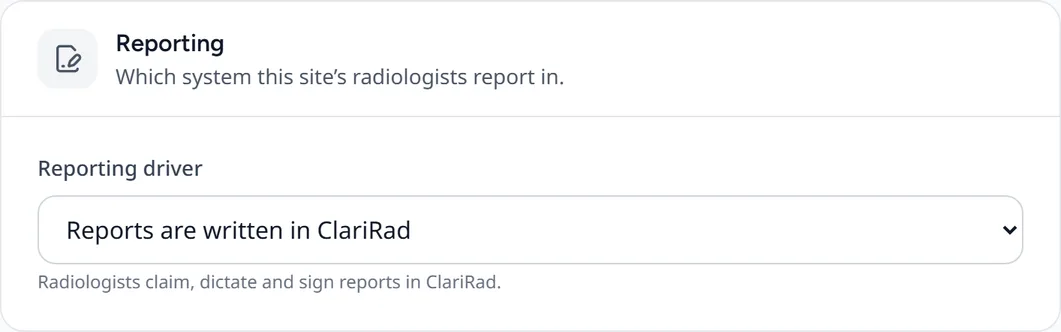
- If a site's reports are written in the PACS instead, set the site's 'Reporting driver' to 'Reports are written in the PACS'. Final reports then come back into Clarirad through the site agent.
A site's own RIS
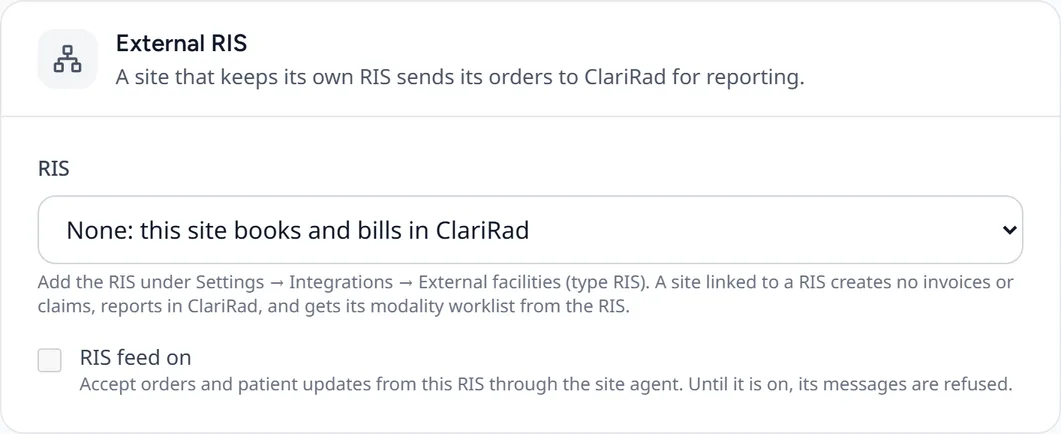
If a site's orders come from another RIS, its 'External RIS' card has a 'RIS feed on' switch. While it is off, messages from that RIS are refused. 'RIS feeds' in Settings shows the feed's health, patients to review and the message log.
Related pages
- Opening studies in your PACS viewerChoose the viewer staff open studies in: Clarirad PACS, Voyager, AdvaPACS or another DICOM viewer.
- Installing the site agentThe small Windows service that prints, serves the modality worklist and relays HL7 on a site's own network.
- Checking integration healthSee at a glance whether your HL7 channels, Medilink, accounting and webhooks are working, and which integrations your practice has.