Draft — being checked against the app
Critical results and escalation
Flag a critical finding at sign-off, make sure the referrer acknowledges it, and record the call.
A critical result is a finding the referrer must know about straight away. Clarirad tracks each one from sign-off until the referrer has acknowledged it and the result is closed.
Flagging a critical finding
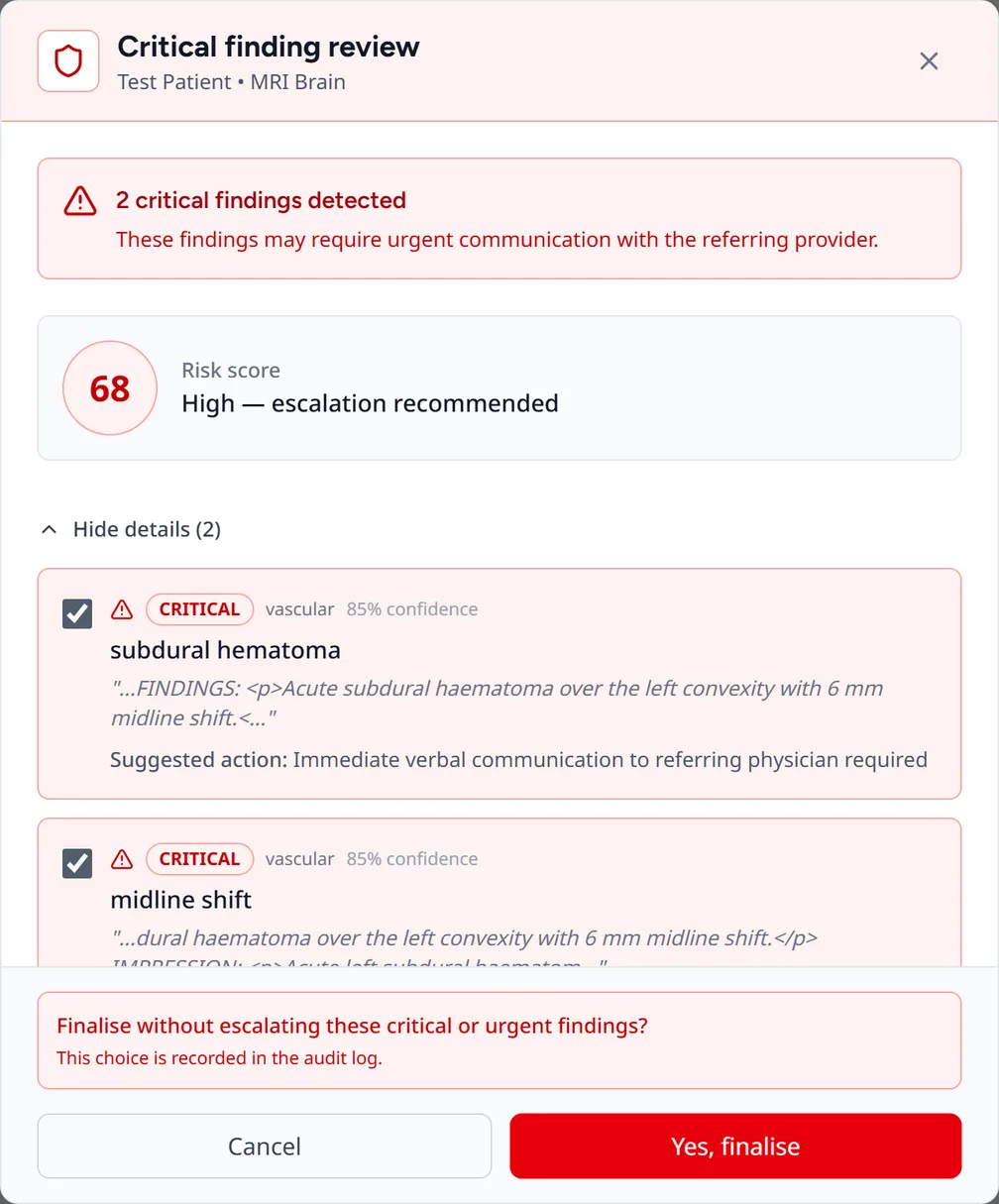
When you finalise a report, Clarirad checks it for critical findings. If it finds any, the Critical finding review dialog lists them with tick boxes.
- Tick the findings that are critical.
- Press the Flag and finalise button (it shows how many findings you ticked) to sign the report and open a critical result.
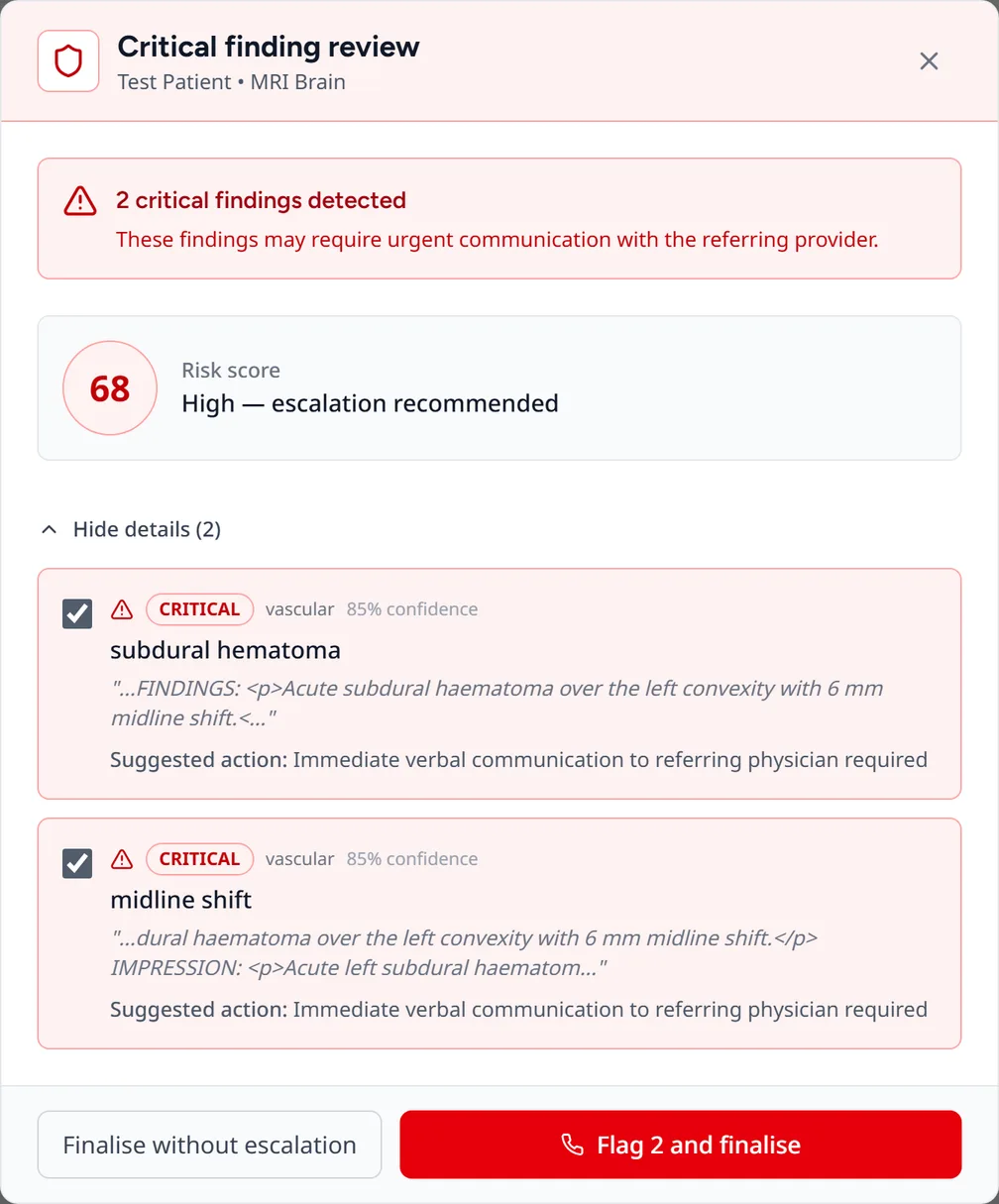
If you decide the findings don't need escalation, choose Finalise without escalation and confirm. This choice is recorded in the audit log.
If the check can't run, you see Critical findings check unavailable. You can go back or choose Finalise anyway, which is also audited.
An unsigned report that has been flagged shows This report is flagged Critical. A radiologist can remove the flag with Clear flag and a reason; registrars can't.
Telling the referrer
When the report is signed, the referrer is told in the referrer portal, and by email or SMS according to their notification preferences. They can read and confirm the critical finding before the full report is available (see The referrer portal).
Escalation
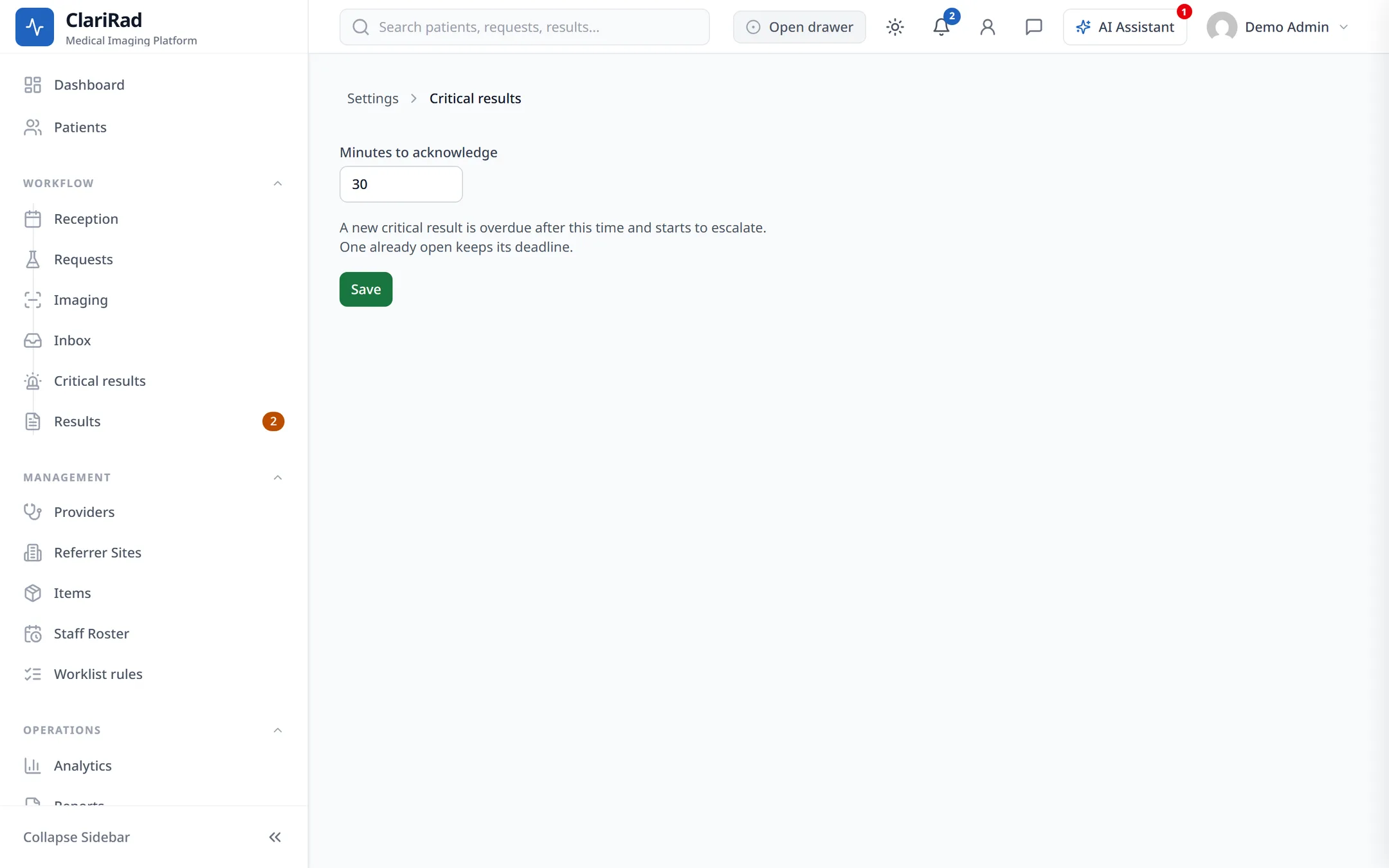
Each critical result has a deadline to be acknowledged: 30 minutes unless your practice sets another time under Settings, Critical results, Minutes to acknowledge (5 minutes to 24 hours). If it isn't acknowledged in time, Clarirad escalates it:
- 30 minutes past the deadline, the referrer is notified again;
- 60 minutes past, a supervisor is notified;
- 90 minutes past, admins and the on-call contact are notified.
Results more than four hours overdue are gathered into a summary for admins.
The Critical results worklist
Open Critical results from the side menu. It lists the open critical results with the nearest deadline first. Each row shows Due in or Overdue by, the escalation level, and Referrer confirmed once the referrer has acknowledged it in the portal.
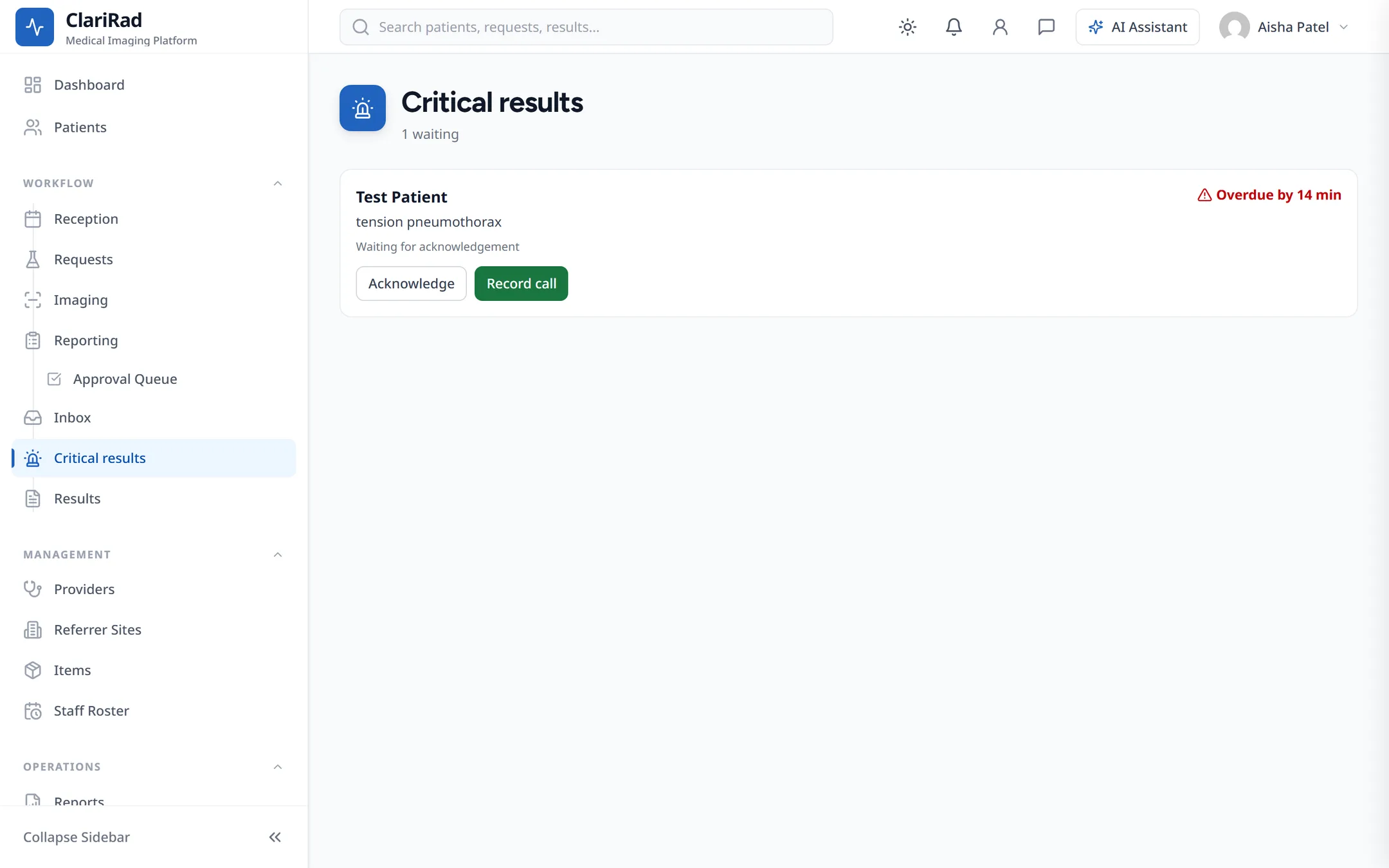
Statuses are Waiting for acknowledgement, Acknowledged, Call recorded and Closed.
Recording a phone call
- Press Record call on the result.
- Enter the Person told and How (Phone, Page, Secure message or In person), plus any notes.
- Tick They read the finding back if they did.
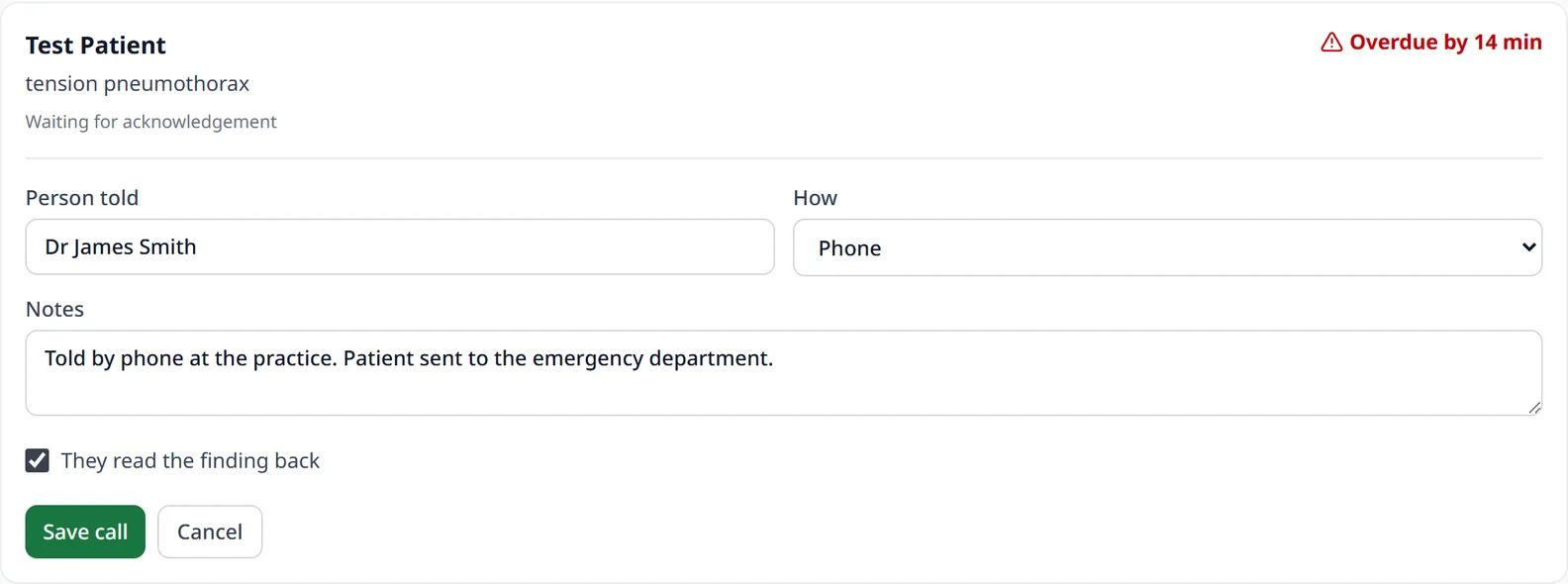
- Press Save call.
Closing a result
Once a call has been recorded and the result dealt with, press Close and enter a reason for closing.